Zeoof
  • Zeoof
  • Newbie Topic Starter
2015-10-27T09:29:07Z
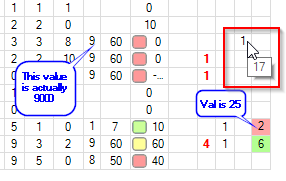
Hi, Im getting some quite nasty behaviour in some cells. Actually its all cells but when the contents are integer values its particularly nasty.
Please see the screen shot:
iGridIssue.png

Click to View Image98 View(s)


This is very misleading, if a user is scanning values in a grid and is reading incorrect values this could lead to some potentially catastrophic outcomes for a business. It renders the grid almost unusable and potentially dangerous to use.

Is there a way to fix this behaviour up, the cellstyle.value types have been set to integer.

Taking excel as an example if a col has shorter width than its contents it will display '#' to inform the user that the content isn't representative of its value, it would never trim a character from a number.

Hope there is an easy fix for this. iGrid 4.6
Igor/10Tec
2015-10-27T15:19:50Z
As I understand, you are talking about any visual confirmation for clipped cell texts. By default iGrid should display ellipsis in such cells, and this setting is stored in the TextTrimming property. Check what value is stored in this property for your cells or the cell style used to display them. In the default grid configuration this setting should look like this:

iGrid1.Cols[0].CellStyle.TextTrimming = iGStringTrimming.EllipsisCharacter;
Zeoof
  • Zeoof
  • Newbie Topic Starter
2015-10-27T15:46:13Z
Hi Igor, thanks for the reply. Yes that is exactly what i mean. Unfortunately non of the iGStringTrimming make a difference when only one character is visible.

igridIssue2.png

Click to View Image99 View(s)


As you can see, the visualisation for trimming works but only where there is room enough to display the ellipsis also. As soon as the col is narrow enough to only show one character the character takes priority and removes the ellipsis. In this situation (the right most on the screenshot) the values appear to be incorrect because there is no indication that the cell content has been trimmed.

for ref my code:

For Each col In _grid.Cols
    col.CellStyle.TextTrimming = iGStringTrimming.EllipsisCharacter
    col.CellStyle.ValueType = GetType(Integer)
Next
Igor/10Tec
2015-10-28T09:52:00Z
Now I see the problem. In fact, it's not a problem of iGrid.NET but the .NET Framework.

See, we use the classic GDI+ DrawString  method to output cell text:

Public Sub DrawString (
	s As String,
	font As Font,
	brush As Brush,
	layoutRectangle As RectangleF,
	format As StringFormat
)

Its last parameter, format, has the StringFormat  type. One of its properties is Trimming  of the StringTrimming  enumeration type, which fully coincides with the TextTrimming option in iGrid.

Unfortunately, if the output rectangle is enough small, DrawString draws only one character without ellipsis, and we do not know whether we can change it as it happens inside the .NET Framework but not in our code. However, let me ask other developers and think about the problem more. I'll post a solution or workaround here if I find one.
Igor/10Tec
2015-10-28T10:45:17Z
I'm thinking about the problem and have some questions. We can try to enhance our drawing algorithm in iGrid and estimate the number of characters that will be drawn in the cell, but it seems we need a new option to enable that as it may slow the drawing. Do you want to display ellipsis instead of the first character if there is a room only for one character? Should we do that for values of any type, or only for numeric values? Or maybe, it's even better to use the Excel way - when we see '###' if we have no room to display the full string?
Ron Brown
2015-12-06T07:03:28Z
Originally Posted by: Igor/10Tec 

I'm thinking about the problem and have some questions. We can try to enhance our drawing algorithm in iGrid and estimate the number of characters that will be drawn in the cell, but it seems we need a new option to enable that as it may slow the drawing. Do you want to display ellipsis instead of the first character if there is a room only for one character? Should we do that for values of any type, or only for numeric values? Or maybe, it's even better to use the Excel way - when we see '###' if we have no room to display the full string?


I like the Excel Idea
Igor/10Tec
2016-04-14T11:30:52Z
I have periodically returned to this problem all last 6 months, trying to find a good solution. My original intention was to rewrite the .NET text trimming algorithm and to implement a routine that would display ellipsis in all cases if the cell text is clipped (even if we have a room just for one character). But after many tries I understood that we cannot have a good solution in the sense of performance. We would need to measure many variants of the cell text for EVERY cell while drawing them, and we must do that in managed code. So I decided to abandon this idea. Finally, the .NET algorithm of trimming is not so bad. At least, for textual data. And nobody complained about it before.

To provide a solution for the problem discussed in this topic, I decided to write another algorithm that replaces clipped cell texts with hash signs in required columns like in MS Excel. I could do that using just two events of iGrid and some helper vars and a sub. It seems, it works as expected:

HashSignsForClippedTexts.png

Click to View Image70 View(s)


The idea of this algorithm is to replace the cell text with a hash sign string on the fly if there is no enough room. The core part of it looks like this:

Private Sub iGrid1_ColWidthChanging(sender As Object, e As iGColWidthEventArgs) Handles iGrid1.ColWidthChanging
    SetHashSignStringData()
End Sub

Private Sub SetHashSignStringData()
    Dim cellIndent As iGIndent = iGrid1.Cols(TARGET_COL).CellStyle.ContentIndent
    _availTextWidth = iGrid1.Cols(TARGET_COL).Width - iGrid1.GridLines.Horizontal.Width - cellIndent.Left - cellIndent.Right

    _hashSignString = ""
    Using grfx As Graphics = iGrid1.CreateGraphics()
        Do
            _hashSignString += "#"
            If grfx.MeasureString(_hashSignString, iGrid1.Font).Width > _availTextWidth Then
                Exit Do
            End If
        Loop
    End Using
    If _hashSignString.Length > 1 Then
        _hashSignString = _hashSignString.Remove(_hashSignString.Length - 1)
    End If
End Sub

Private Sub iGrid1_CellDynamicContents(sender As Object, e As iGCellDynamicContentsEventArgs) Handles iGrid1.CellDynamicContents
    If e.ColIndex = TARGET_COL Then
        Using grfx As Graphics = iGrid1.CreateGraphics()
            If grfx.MeasureString(e.Text, iGrid1.Font).Width > _availTextWidth Then
                e.Text = _hashSignString
            End If
        End Using
    End If
End Sub

Below is the full source code of my sample:

  HashSignsForClippedTexts_VB.zip (19kb) downloaded 61 time(s).